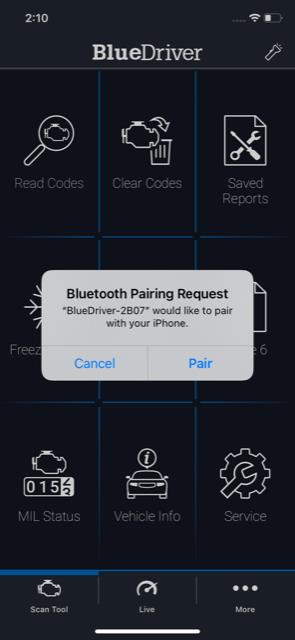
Issue: My device won't pair or my device finds my bluetooth but not my vehicle.
You have a newer BlueDriver device that uses Bluetooth LE, which pairs within the app—not through your phone’s Bluetooth settings.
Note: The first time you open the app, it will ask for Bluetooth permission. This is required for in-app pairing.
Please follow these steps:
- Fully close the BlueDriver app so it’s not running in the background.
- For iPhones with a physical Home button (iPhone 9 and older):
- Double-tap the Home button
- Swipe through open apps
- Swipe up or down on the BlueDriver app to close it
- For iPhones without a Home button (iPhone X and newer):
- From the Home screen, press and hold the bottom of the screen, then swipe up
- Swipe through open apps
- Swipe up or down on the BlueDriver app to close it
- For Androids
- Tap the Recent Apps button (usually a square or swipe-up gesture)
- Swipe the BlueDriver app off the screen to close it
- For iPhones with a physical Home button (iPhone 9 and older):
- Start your vehicle’s ignition and plug in your BlueDriver.
Note: You have 60 seconds to pair the sensor. If more than a minute passes, unplug and replug the device to restart pairing mode. - Open the BlueDriver app.
- Within 5–20 seconds, the app should detect the sensor and prompt you to pair
- Tap Pair, and the app will complete the pairing and connect to your vehicle automatically.